Today, I’ll walk you through how to use Transformers in Sitecore Search. Transformers are used to index structured documents such as CSV, XML, and JSON files. Click here for the official documentation from Sitecore.
With Transformers, we can manipulate any properties available in the document before they are indexed. This manipulation allows for cleaner and more structured data in search results.
There are two types of Transformers:
- Document Transformer
- Column Transformer
First we will see how to add and use document transformer. For this, on source setting click on “Edit” in front of Transformations section.

After this click on “Add Transformation”
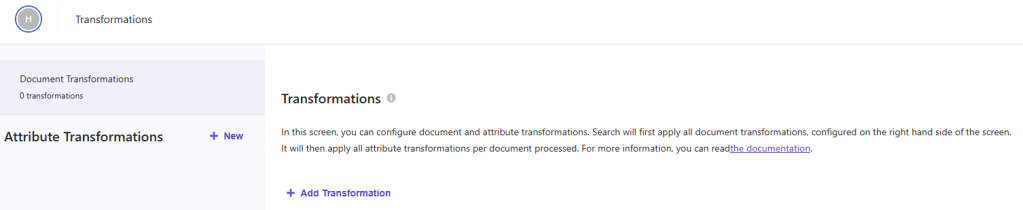
Some out of the box Transformation Types are available, like
- rename
- case
- copy
- trim
- split
- replace
- cast
- extract
- boolean condition
- dynamic attributes
These can be applied directly to document attributes.
To use these out of the box Transformation Types, click on New in front of Attribute Transformations.

Then we can add the attribute name on which we want to set the Transformation Types.
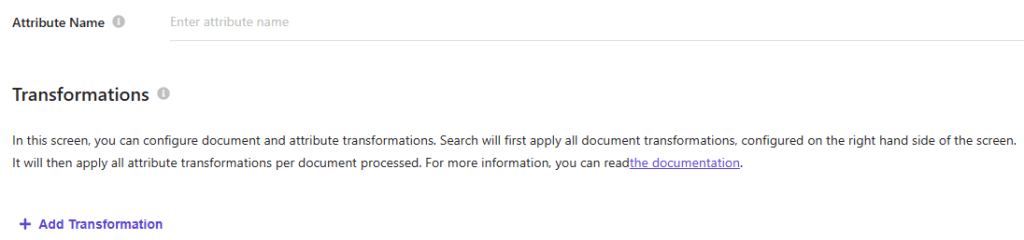
Click on Add Transformation select the Transformation Type.
Example: Setting firstname to Uppercase
Instead of writing custom JavaScript in the document extractor like this:"firstname": item?.firstname?.toUpperCase(),
I can use Case transformation type here on firstname attribute.
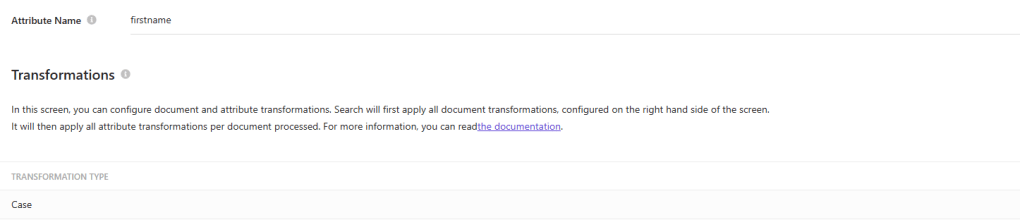
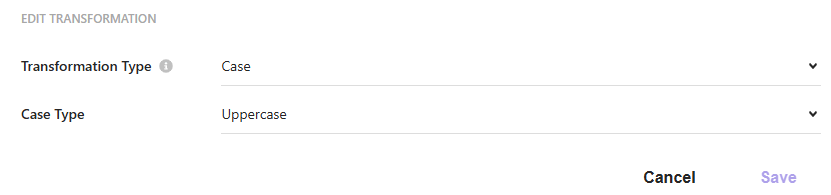
The indexed document will now store the firstname in uppercase—providing a cleaner, more maintainable approach.
This method offers a structured and declarative way to transform data without custom code.
Similarly we can use other out-of-the-box transformation types similarly to manipulate attributes as needed.
In my next blog, I’ll cover how to use the JavaScript Transformation Type for more advanced custom logic.
Stay tuned!.
 bkhandelwal.tech.blog